
magixx Crosshair Code and CS2 Settings
 Team Spirit
 Russia
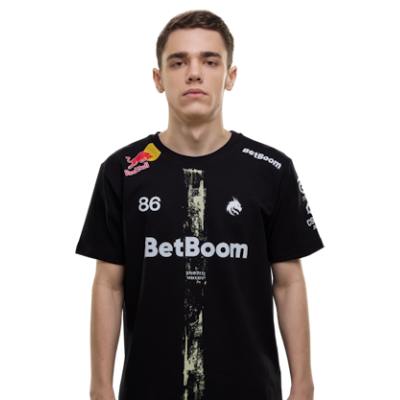
Boris “magixx” Vorobiev was born in Russia on June 3, 2003. He currently offers his talents to Team Spirit. Magixx is renowned for his rifling skills. He’s respected for his tactical precision, disciplined aim, and his ability to adapt under pressure.
Stepping into the professional scene in 2018, magixx quickly became a reliable and one of the most consistent players in Counter-Strike. Though currently benched by Team Spirit, there is little doubt about the impact that magixx has had on Team Spirit, or the entire professional Counter-Strike pro scene.
Players looking to boost their rifling skill could benefit from testing out magixx’s game settings. You’ll want to keep in mind that some of his settings rely on the fact that he uses some of the best equipment available today. So, it’s best to test them out and make adjustments accordingly.

Crosshair Settings
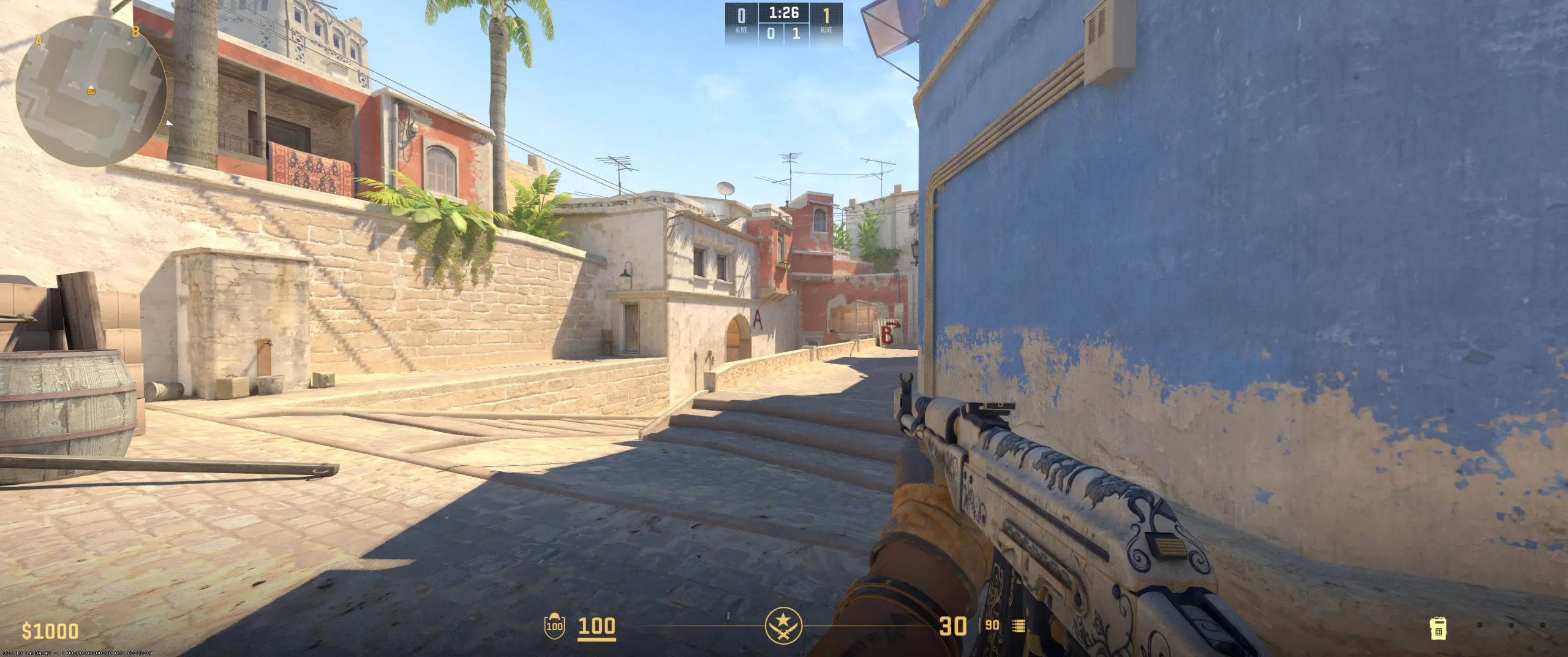
Like most pros, magixx sticks to the classic crosshair style, colored in cyan. This helps his crosshairs remain visible against most backgrounds. He sets the gap to -4, bringing the crosshairs just close enough to leave a gap where the dot would be. Because of this, magixx plays with the dot turned off.
He sets the thickness to 1 with zero outline, keeping things thin and compact. The minimal thickness helps reduce clutter, leaving mid to long-range shots more clearly visible. By doing away with the outline, magixx further reduces any distractions and really helps manage any micro-adjustments he needs to make.
The more compact crosshairs may be difficult for beginners at first, as they may find that they are slightly missing their shots or overcorrecting in intense situations. If you want to copy magixx crosshairs, all you have to do is use this magixx crosshair code (CSGO-kpFkM-SSH7T-DQQBn-G2VSC-kPOpP). Just remember to test it out and make any needed adjustments.
CSGO-kpFkM-SSH7T-DQQBn-G2VSC-kPOpP

Skins
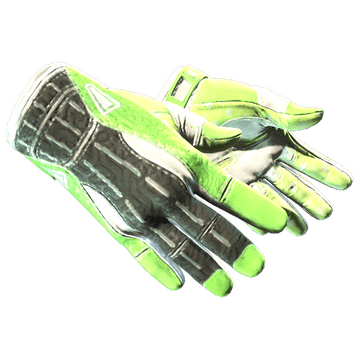
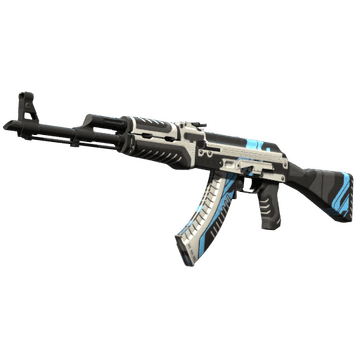
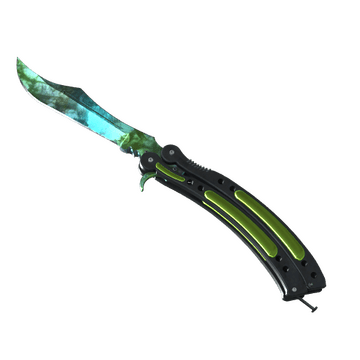
The skins tucked away in the magixx inventory are some of the most sought-after skins. Players often use skins for psychological reasons. In many cases, the skins they choose usually say something about who the players are and how they play. Here’s a look at a few magixx CS2 skins:
Butterfly Knife | Gamma Doppler (Emerald) - A very flashy skin that is difficult to get your hands on, much like getting a frag on magixx. Anyone using this skin will be filled with confidence.
StatTrak AK-47 | Vulcan - A bold design that resembles magixx’s assertive playstyle.
Sport Gloves | Hedge Maze - The maze-like pattern represents a complexity that is difficult to navigate. Likely how his opponents feel when playing against magixx.
If you’re looking to buy CS2 skins like magixx, expect to pay a pretty penny, as they aren’t cheap. However, there may be similar skins that are more budget-friendly. And honestly, skins don’t really improve your games anyway. So, it’s best to focus on adjusting your settings and practicing.
Video Settings
Viewmodel Settings
viewmodel_fov 68; viewmodel_offset_x 2.5; viewmodel_offset_y 0; viewmodel_offset_z -1.5; viewmodel_presetpos 2;
HUD Settings
Radar Settings
Launch Options
The magixx config download focuses on maximum FPS with as little startup friction as possible. He sets his -freq to 360, the highest setting for his monitor. Beginners may find that their monitor isn’t capable of running this setting. Magixx also sets his: novid: This gets rid of any intros to speed up launching.. high: Gives the process priority to CS2, resulting in better frame consistency. tickrate: Sets offline practice or community servers to 128. Has no impact in pro competition. nojoy: Reduces the process drag in the background. These settings are very similar to other CS2 launch options pros use. You’ll find that they are pretty common across the pro CS2 scene. Just be sure your system can handle the load. If not, adjust any settings accordingly.
Config Settings
Teammates





magixx Playstyle & Role
Being a rifler for Team Spirit is no easy task. That’s why they employ a player like magixx. His patient yet controlled aggression helps him perform the type of clutch plays needed to keep Team Spirit in the number 6th spot on HLTV’s list of best teams of 2025. Turning pro in 2018, magixx is a 7-year veteran who’s capable of precise anchor holds or, if the situation calls for it, fast entries. His settings help magixx be consistent with his pixel-perfect aim. He rarely over-commits as he’s known for his intelligent pushes and patience while holding corners. Magixx’s calculated style has helped him build a reputation for being reliable and adaptable. Two of the things needed to become a renowned pro CS2 player. Up-and-coming players often try to mimic how magixx plays, easier said than done. If you’re a beginner, you’ll want to go over tons of magixx playstyle analysis. When you begin to understand the subtleties of magixx, you want to test out his settings. After all, the entire package, both his playstyle and settings, is what gives magixx magic.
Achievements & Career Highlights
Throughout the years, magixx has seen enough success to win over $800,000 from about 80 tournaments. Here’s a list of magixx achievements: Perfect World Shanghai Major 2024 Champion with Team Spirit IEM XV Beijing (Online) European Qualifier Gold Thunderpick World Championship 2023 European Series #2 Gold IEM Katowice 2024 Gold Despite his skill and achievements, magixx is currently ranked about 530th in the world. This may come as a surprise as his team, Team Spirit, is currently ranked 6th in the world. This fact may give hope to lots of beginners as it proves you don’t have to be the best CS2 player in the world to win the trophies of magixx.
Current and Past Teams
So, which team does magixx play for? As we’ve already stated, magixx currently plays for Team Spirit. In a rare feat, magixx has been with his current team for the majority of his career. In fact, he has only played for one other team since turning pro. He made his professional debut in 2018 with Team ESPADA. One year later, magixx was already making waves with Team Spirit. For a 7-year veteran, the list of magixx teams is quite short. This is a testament to magixx’s loyalty and dedication to his teammates, team, and CS2. Be sure to explore more CS2 pro player settings and crosshairs on CS2Crosshair.com.